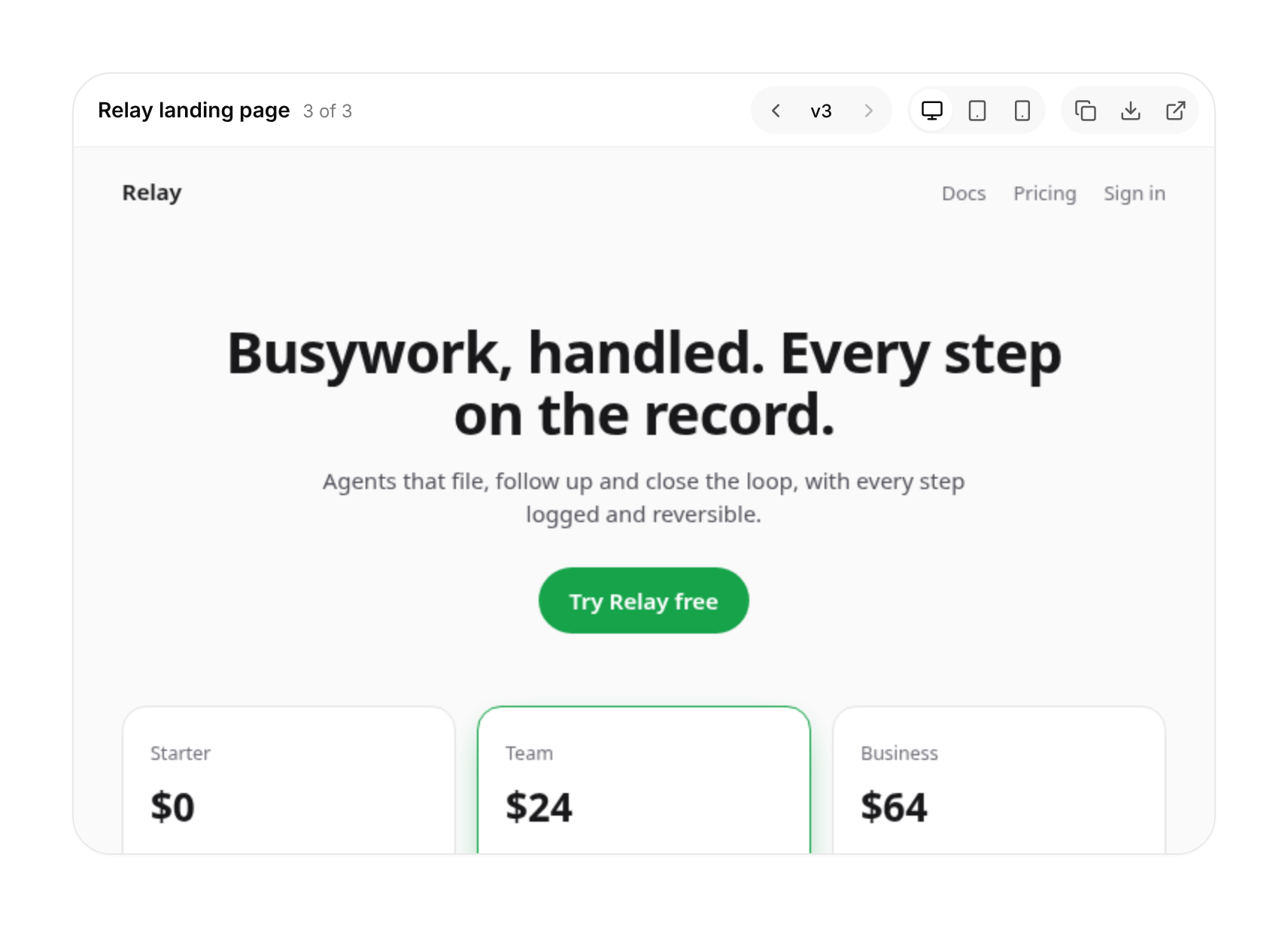
Usage
import { ArtifactPreview } from "@/registry/components/artifact-preview/artifact-preview";

<ArtifactPreview versions={[/* … */]} />
Props
| Prop | Type | Default | Description |
|---|---|---|---|
versions | ArtifactVersion[] | Finished versions, oldest first. The newest is shown unless the user steps back. | |
draft? | string | null | null | The page as the model is writing it. Shown over the latest version while set; pass null when it is done. |
title? | string | Name of the artifact; also the download file name ("Pricing page" → pricing-page.html). | |
defaultViewport? | ArtifactViewport | "desktop" | Start on this width. |
allowScripts? | boolean | true | Let finished versions run their scripts (still sandboxed, never same-origin). |
hideActions? | boolean | false | Hide copy, download and open. |
empty? | ReactNode | Shown when there is no version and no draft yet. | |
onVersionChange? | (index: number) => void | Called with the version index the user steps to. | |
className? | string |
When to use
AI or agent products that generate HTML, emails, landing pages, slides or reports: show the result next to the chat while it streams, and let people step back through versions and take the file.
When not to use
Previewing a React component inside your own app (render it directly); untrusted HTML you need to run with same-origin access (never; keep it sandboxed); code with syntax highlighting (code-block).
Related
Tool call card · Message actions · Inline citation · Code block · Prompt input