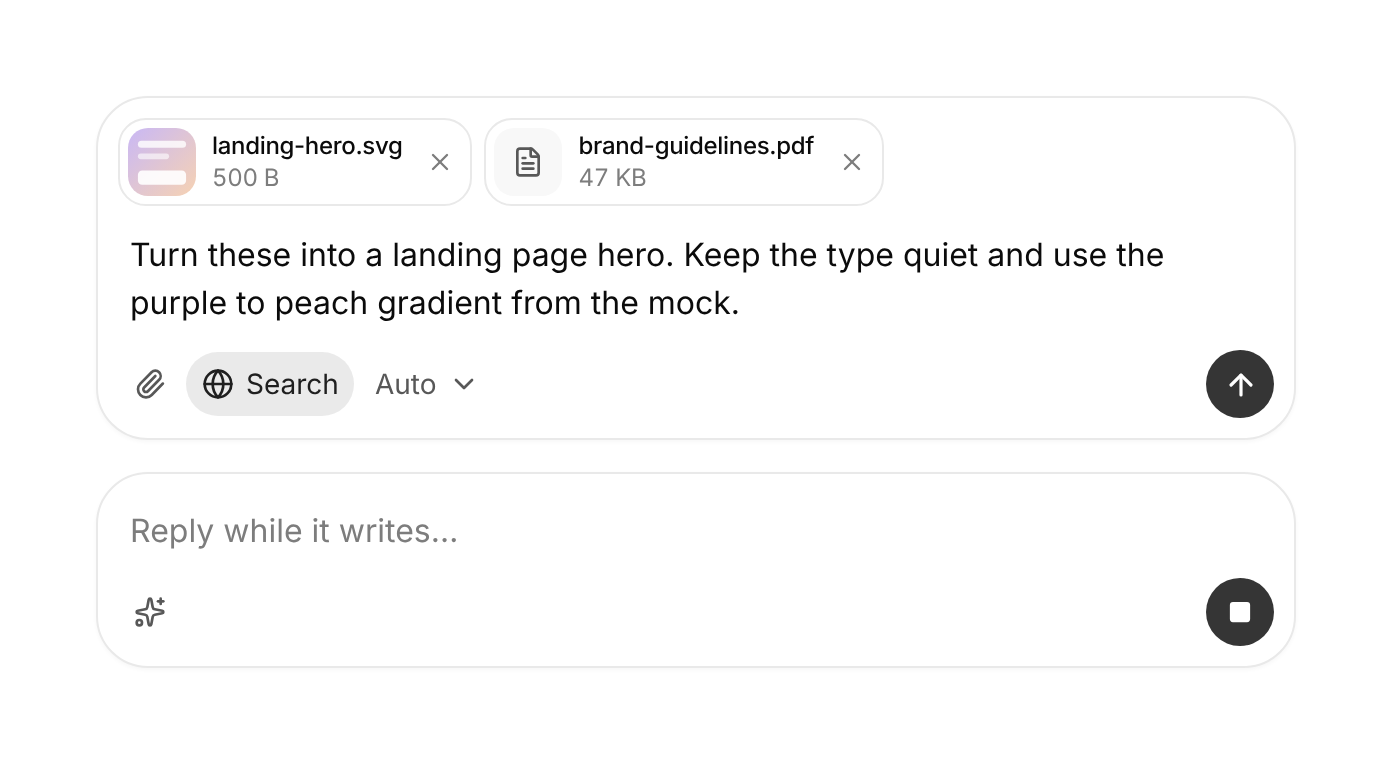
Usage
import { PromptInput } from "@/registry/components/prompt-input/prompt-input";

<PromptInput onSubmit={() => {}}>Label</PromptInput>
Props
| Prop | Type | Default | Description |
|---|---|---|---|
onSubmit | (message: PromptInputMessage, event: FormEvent<HTMLFormElement>) => void | Promise<void> | Called with the text and files. Return a promise to keep the input until it resolves; a throw or rejection keeps what was typed so it can be retried. | |
status? | PromptInputStatus | "ready" | Where the conversation is: submitted shows a spinner, streaming turns send into stop (with onStop), error tints the send button red so the person can retry. |
onStop? | () => void | Called by the stop button while status is submitted or streaming. | |
accept? | string | File types the attach button, paste and drop accept, like the input accept attribute (image/*,.pdf). Use "" for any file. Leave out for text only: no attach button, paste or drop. | |
multiple? | boolean | true | Allow more than one file. |
maxFiles? | number | Most files at once. | |
maxFileSize? | number | Largest file in bytes. | |
onError? | (error: PromptInputError) => void | Called when files are refused, with a code and a sentence you can show. | |
maxLength? | number | Soft limit: shows a counter near the end and blocks sending past it. | |
disabled? | boolean | false | Disable the whole input. |
value? | string | Controlled text. Pair with onValueChange. | |
onValueChange? | (value: string) => void | Called on every keystroke with the new text. | |
defaultValue? | string | "" | Starting text when uncontrolled. |
children? | ReactNode |
Also accepts every prop of Omit<FormHTMLAttributes<HTMLFormElement>, "onSubmit" | "onError">.
When to use
The message box of any AI chat, agent or copilot: free text plus optional files, with tools beside it (attach, search the web, pick a model) and a send button that becomes stop while the reply streams.
When not to use
A plain form field (text-field); jumping to commands or pages (command-palette); a compact search in a toolbar (seek-bar); comments on a document or thread (comment-thread).
Related
Message actions · Thinking loader · Tool call card · Artifact preview